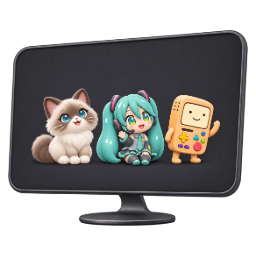
Download desktop pet resources
A character ZIP contains artwork and animation data. It is not an installer and cannot run by itself. For browser use, install the extension and choose a character inside it.
Character resource packs
Each pack includes a manifest, preview image, PNG images, animation clips and configuration. Importing these files into other software depends on that software’s supported format.
288 characters
- AbyssinianBrowser compatibleZIP
- Agnes TachyonBrowser compatible2× PNG ZIP
- AlastorBrowser compatible2× PNG ZIP
- AlphysBrowser compatible2× PNG ZIP
- Amy RoseBrowser compatible2× PNG ZIP
- Angel DustBrowser compatible2× PNG ZIP
- Annie LeonhartBrowser compatible2× PNG ZIP
- Aoi AsahinaBrowser compatible2× PNG ZIP
- Armin ArlertBrowser compatible2× PNG ZIP
- AsrielBrowser compatible2× PNG ZIP
- B3N CorruptedBrowser compatible2× PNG ZIP
- BalladeerBrowser compatible2× PNG ZIP
- Ban HambarBrowser compatible2× PNG ZIP
- BeeBrowser compatible2× PNG ZIP
- BeefBrowser compatible2× PNG ZIP
- Ben DrownedBrowser compatible2× PNG ZIP
- BengalBrowser compatibleZIP
- Bill CipherBrowser compatible2× PNG ZIP
- BlackBrowser compatible2× PNG ZIP
- BlockyBrowser compatible2× PNG ZIP
- BlueBrowser compatible2× PNG ZIP
- Blueberry SansBrowser compatible2× PNG ZIP
- BlueyBrowser compatible2× PNG ZIP
- BMOBrowser compatible2× PNG ZIP
- Boa HancockBrowser compatible2× PNG ZIP
- BonziBrowser compatible2× PNG ZIP
- BoothillBrowser compatible2× PNG ZIP
- British ShorthairBrowser compatibleZIP
- BrudBrowser compatible2× PNG ZIP
- BubbleBrowser compatible2× PNG ZIP
- Buri NekoBrowser compatible2× PNG ZIP
- ButterBrowser compatibleZIP
- ButtersBrowser compatible2× PNG ZIP
- Caesar ZeppeliBrowser compatible2× PNG ZIP
- CaineBrowser compatible2× PNG ZIP
- CasperBrowser compatible2× PNG ZIP
- CatNapBrowser compatible2× PNG ZIP
- CharaBrowser compatible2× PNG ZIP
- Charlie MorningstarBrowser compatible2× PNG ZIP
- CharmanderBrowser compatible2× PNG ZIP
- Chiaki NanamiBrowser compatible2× PNG ZIP
- ChocolaBrowser compatible2× PNG ZIP
- CinnamorollBrowser compatible2× PNG ZIP
- Classic ShimejiBrowser compatible2× PNG ZIP
- ClukrBrowser compatible2× PNG ZIP
- Connie SpringerBrowser compatible2× PNG ZIP
- Craig TuckerBrowser compatible2× PNG ZIP
- CreeperBrowser compatible2× PNG ZIP
- CubeBrowser compatible2× PNG ZIP
- CupheadBrowser compatible2× PNG ZIP
- Cursed Cat AlastorBrowser compatible2× PNG ZIP
- CynBrowser compatible2× PNG ZIP
- DagonyangBrowser compatible2× PNG ZIP
- DanBrowser compatible2× PNG ZIP
- DeadpoolBrowser compatible2× PNG ZIP
- DeidaraBrowser compatible2× PNG ZIP
- DIPPERBrowser compatible2× PNG ZIP
- DogDayBrowser compatible2× PNG ZIP
- Dr. RobotnikBrowser compatible2× PNG ZIP
- DurinBrowser compatible2× PNG ZIP
- DurpleBrowser compatible2× PNG ZIP
- Miles EdgeworthBrowser compatible2× PNG ZIP
- ENABrowser compatible2× PNG ZIP
- EndermanBrowser compatible2× PNG ZIP
- Eren JaegerBrowser compatible2× PNG ZIP
- Error SansBrowser compatible2× PNG ZIP
- Eustass KidBrowser compatible2× PNG ZIP
- Evil MortyBrowser compatible2× PNG ZIP
- Eyeless JackBrowser compatible2× PNG ZIP
- FalsityBrowser compatible2× PNG ZIP
- FeitanBrowser compatible2× PNG ZIP
- FinnBrowser compatible2× PNG ZIP
- FionnaBrowser compatible2× PNG ZIP
- FiveBrowser compatible2× PNG ZIP
- FloweryBrowser compatible2× PNG ZIP
- FloweyBrowser compatible2× PNG ZIP
- FORDBrowser compatible2× PNG ZIP
- FourBrowser compatible2× PNG ZIP
- Freed JustineBrowser compatible2× PNG ZIP
- FriskBrowser compatible2× PNG ZIP
- Fun BotBrowser compatible2× PNG ZIP
- FurinaBrowser compatible2× PNG ZIP
- SoundwaveBrowser compatible2× PNG ZIP
- GaaraBrowser compatible2× PNG ZIP
- GakupoBrowser compatible2× PNG ZIP
- GangleBrowser compatible2× PNG ZIP
- GarnoldBrowser compatible2× PNG ZIP
- Germany and ItalyBrowser compatible2× PNG ZIP
- The KnightBrowser compatible2× PNG ZIP
- GIRBrowser compatible2× PNG ZIP
- GojoBrowser compatible2× PNG ZIP
- GokuBrowser compatible2× PNG ZIP
- Gon FreecssBrowser compatible2× PNG ZIP
- GrayBrowser compatible2× PNG ZIP
- Green 2Browser compatible2× PNG ZIP
- GrianBrowser compatible2× PNG ZIP
- GummiGooBrowser compatible2× PNG ZIP
- Hajime HinataBrowser compatible2× PNG ZIP
- Hange ZoëBrowser compatible2× PNG ZIP
- RalseiBrowser compatible2× PNG ZIP
- Hatsune MikuBrowser compatible2× PNG ZIP
- HawksBrowser compatible2× PNG ZIP
- HerobrineBrowser compatible2× PNG ZIP
- Himiko YumenoBrowser compatible2× PNG ZIP
- HisokaBrowser compatible2× PNG ZIP
- Hong LuBrowser compatible2× PNG ZIP
- HoodyBrowser compatible2× PNG ZIP
- Hoppy HopscotchBrowser compatible2× PNG ZIP
- HornetBrowser compatible2× PNG ZIP
- Horror SansBrowser compatible2× PNG ZIP
- HugoBrowser compatible2× PNG ZIP
- HuskBrowser compatible2× PNG ZIP
- IchigoBrowser compatible2× PNG ZIP
- Idia ShroudBrowser compatible2× PNG ZIP
- IggyBrowser compatible2× PNG ZIP
- Ink SansBrowser compatible2× PNG ZIP
- Itachi UchihaBrowser compatible2× PNG ZIP
- ItalyBrowser compatible2× PNG ZIP
- JackNyras CorruptedBrowser compatible2× PNG ZIP
- Jade.unknownBrowser compatibleZIP
- JakeBrowser compatible2× PNG ZIP
- JapanBrowser compatible2× PNG ZIP
- JaxBrowser compatible2× PNG ZIP
- Jean KirschteinBrowser compatible2× PNG ZIP
- Jean Pierre PolnareffBrowser compatible2× PNG ZIP
- Jeff Woods CorruptedBrowser compatible2× PNG ZIP
- JevinBrowser compatible2× PNG ZIP
- John EgbertBrowser compatibleZIP
- JohnGraceBrowser compatible2× PNG ZIP
- Joseph JoestarBrowser compatible2× PNG ZIP
- JosukeBrowser compatible2× PNG ZIP
- Jotaro KujoBrowser compatible2× PNG ZIP
- Kaede AkamatsuBrowser compatible2× PNG ZIP
- Kaedehara KazuhaBrowser compatible2× PNG ZIP
- Kagamine LenBrowser compatible2× PNG ZIP
- Kagamine RinBrowser compatible2× PNG ZIP
- Kanako DRYBrowser compatible2× PNG ZIP
- KarkatBrowser compatibleZIP
- KarlBrowser compatible2× PNG ZIP
- Kei TsukishimaBrowser compatible2× PNG ZIP
- Kenma KozumeBrowser compatible2× PNG ZIP
- KickinChickenBrowser compatible2× PNG ZIP
- KillerBrowser compatible2× PNG ZIP
- KingerBrowser compatible2× PNG ZIP
- KirbyBrowser compatible2× PNG ZIP
- KnucklesBrowser compatible2× PNG ZIP
- Kokichi OumaBrowser compatible2× PNG ZIP
- KrisBrowser compatible2× PNG ZIP
- KuroShimejiBrowser compatible2× PNG ZIP
- KyleBrowser compatible2× PNG ZIP
- Kyoko KirigiriBrowser compatible2× PNG ZIP
- L LawlietBrowser compatible2× PNG ZIP
- LaiosBrowser compatible2× PNG ZIP
- LestorBrowser compatible2× PNG ZIP
- Levi AckermanBrowser compatible2× PNG ZIP
- LuciferBrowser compatible2× PNG ZIP
- Lumpy Space PrincessBrowser compatible2× PNG ZIP
- MABELBrowser compatible2× PNG ZIP
- Madoka KanameBrowser compatible2× PNG ZIP
- Maine CoonBrowser compatibleZIP
- Makoto NaegiBrowser compatible2× PNG ZIP
- MallowBrowser compatibleZIP
- MammonBrowser compatible2× PNG ZIP
- MapleBrowser compatibleZIP
- MarcelineBrowser compatible2× PNG ZIP
- Marshall LeeBrowser compatible2× PNG ZIP
- MaskyBrowser compatible2× PNG ZIP
- MegatronBrowser compatible2× PNG ZIP
- MelloBrowser compatible2× PNG ZIP
- MeowmiBrowser compatible2× PNG ZIP
- MevBrowser compatible2× PNG ZIP
- MichiferBrowser compatible2× PNG ZIP
- MightyBrowser compatible2× PNG ZIP
- Mikasa AckermanBrowser compatible2× PNG ZIP
- Mini Frank IehorseBrowser compatible2× PNG ZIP
- Mini Gerard HayBrowser compatible2× PNG ZIP
- Mini Mikey HayBrowser compatible2× PNG ZIP
- Mini Neigh ToroBrowser compatible2× PNG ZIP
- MochiBrowser compatibleZIP
- MonikaBrowser compatible2× PNG ZIP
- Mr. Fun ComputerBrowser compatible2× PNG ZIP
- Mr. SunBrowser compatible2× PNG ZIP
- Mr. TreeBrowser compatible2× PNG ZIP
- Muhammad AvdolBrowser compatible2× PNG ZIP
- MysterionBrowser compatible2× PNG ZIP
- NapstablookBrowser compatible2× PNG ZIP
- NatsukiBrowser compatible2× PNG ZIP
- NearBrowser compatible2× PNG ZIP
- NifftyBrowser compatible2× PNG ZIP
- NikoBrowser compatible2× PNG ZIP
- NoobBrowser compatible2× PNG ZIP
- Noriaki KakyoinBrowser compatible2× PNG ZIP
- Norwegian Forest CatBrowser compatibleZIP
- Nyanko-senseiBrowser compatible2× PNG ZIP
- OneBrowser compatible2× PNG ZIP
- OrenBrowser compatible2× PNG ZIP
- Osamu DazaiBrowser compatible2× PNG ZIP
- OwackxBrowser compatible2× PNG ZIP
- P-HeadBrowser compatible2× PNG ZIP
- Pancake CatBrowser compatible2× PNG ZIP
- PapyrusBrowser compatible2× PNG ZIP
- PathfinderBrowser compatible2× PNG ZIP
- PebbleBrowser compatibleZIP
- PeridotBrowser compatible2× PNG ZIP
- PersianBrowser compatibleZIP
- PhilBrowser compatible2× PNG ZIP
- PinkBrowser compatible2× PNG ZIP
- PinkiBrowser compatible2× PNG ZIP
- PlueyBrowser compatible2× PNG ZIP
- PlueBrowser compatible2× PNG ZIP
- PumpBrowser compatible2× PNG ZIP
- PuroBrowser compatible2× PNG ZIP
- PusheenBrowser compatible2× PNG ZIP
- Kyubey QBBrowser compatible2× PNG ZIP
- RaddyBrowser compatible2× PNG ZIP
- RagdollBrowser compatibleZIP
- RayBrowser compatible2× PNG ZIP
- RickBrowser compatible2× PNG ZIP
- Rick PrimeBrowser compatible2× PNG ZIP
- Rob LucciBrowser compatible2× PNG ZIP
- Rogue CheneyBrowser compatible2× PNG ZIP
- Roronoa ZoroBrowser compatible2× PNG ZIP
- RukiaBrowser compatible2× PNG ZIP
- Russian BlueBrowser compatibleZIP
- RyōshūBrowser compatible2× PNG ZIP
- Sal FisherBrowser compatible2× PNG ZIP
- Sally Williams CorruptedBrowser compatible2× PNG ZIP
- SansBrowser compatible2× PNG ZIP
- SarquissBrowser compatible2× PNG ZIP
- SasukeBrowser compatible2× PNG ZIP
- SayoriBrowser compatible2× PNG ZIP
- Secretary ClownBrowser compatible2× PNG ZIP
- Serial Designation VBrowser compatible2× PNG ZIP
- ShadowBrowser compatible2× PNG ZIP
- ShanksBrowser compatible2× PNG ZIP
- Shota AizawaBrowser compatible2× PNG ZIP
- Shoyo HinataBrowser compatible2× PNG ZIP
- Shuichi SaiharaBrowser compatible2× PNG ZIP
- SiameseBrowser compatibleZIP
- SimonBrowser compatible2× PNG ZIP
- SkidBrowser compatible2× PNG ZIP
- SkyBrowser compatible2× PNG ZIP
- SocksBrowser compatibleZIP
- Sonia NevermindBrowser compatible2× PNG ZIP
- SonicBrowser compatible2× PNG ZIP
- SphynxBrowser compatibleZIP
- SpongebobBrowser compatible2× PNG ZIP
- SproutBrowser compatibleZIP
- STANBrowser compatible2× PNG ZIP
- SteveBrowser compatible2× PNG ZIP
- Sting EucliffeBrowser compatible2× PNG ZIP
- Stocking AnarchyBrowser compatible2× PNG ZIP
- SusieBrowser compatible2× PNG ZIP
- TailsBrowser compatible2× PNG ZIP
- Tasque ManagerBrowser compatible2× PNG ZIP
- TennaBrowser compatible2× PNG ZIP
- ThatchBrowser compatible2× PNG ZIP
- The LambBrowser compatible2× PNG ZIP
- The Roaring KnightBrowser compatible2× PNG ZIP
- ThreeBrowser compatible2× PNG ZIP
- Ticci TobyBrowser compatible2× PNG ZIP
- TomBrowser compatible2× PNG ZIP
- TordBrowser compatible2× PNG ZIP
- Trafalgar LawBrowser compatible2× PNG ZIP
- TunnerBrowser compatible2× PNG ZIP
- TwoBrowser compatible2× PNG ZIP
- Uganda KnuxBrowser compatible2× PNG ZIP
- UndyneBrowser compatible2× PNG ZIP
- Uzi DoormanBrowser compatible2× PNG ZIP
- V1Browser compatible2× PNG ZIP
- VaggieBrowser compatible2× PNG ZIP
- ValentinoBrowser compatible2× PNG ZIP
- VelvetteBrowser compatible2× PNG ZIP
- VentiBrowser compatible2× PNG ZIP
- VergilBrowser compatible2× PNG ZIP
- VerityBrowser compatible2× PNG ZIP
- VineriaBrowser compatible2× PNG ZIP
- VoxBrowser compatible2× PNG ZIP
- WandererBrowser compatible2× PNG ZIP
- WattsonBrowser compatible2× PNG ZIP
- WendaBrowser compatible2× PNG ZIP
- WoodyBrowser compatible2× PNG ZIP
- XBrowser compatible2× PNG ZIP
- Yoshikage KiraBrowser compatible2× PNG ZIP
- YuriBrowser compatible2× PNG ZIP
- ZoobleBrowser compatible2× PNG ZIP
- Zoro and SanjiBrowser compatible2× PNG ZIP
- ZoteBrowser compatible2× PNG ZIP
Desktop Pets browser extension
Desktop Pets is published in the Chrome Web Store and Microsoft Edge Add-ons. Choose the store for your desktop browser.
View Installation GuideHow to download and unpack a character
Open a character page, choose its ZIP download, then use your operating system’s Extract command. The character page lists the file size and SHA-256 digest so you can check the saved file.
What is inside the ZIP?
Traditional Shimeji packs often use actions.xml for poses and behaviors.xml for movement rules. This library’s Shimeji ZIPs include PNG artwork and converted config/actions.json and config/behaviors.json. Use a tool that supports the converted format, or consult the original pack for a traditional XML-based player.
How to read compatibility labels
- Browser compatible — this character passed the Chrome and Edge checks.
- Download only — this pack is available as data, and browser compatibility has not been verified.
- Processing — validation is in progress. Only available packs are listed below.
Download questions
Do I need the extension to download the ZIP?
No. The ZIP is available on the character page. The extension is used to display supported characters in a browser.
How do I check my download?
Compare the file size and SHA-256 hash with the values on its character page. In PowerShell, Get-FileHash with the default SHA-256 algorithm calculates the digest.