Shimeji
Classic Shimeji, the Original White Mascot
Two black dots and a big white head are all this little Shimeji needs to be recognizable. See the original mascot shuffle, grip an edge, and flatten into a low resting pose.
See your pet in a browser

Preparing preview
Character image gallery
45 images









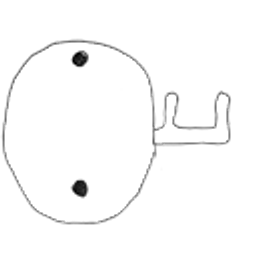
View all 45 images
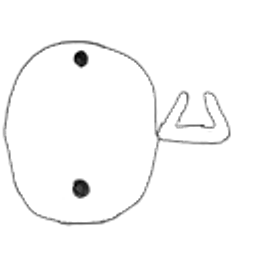




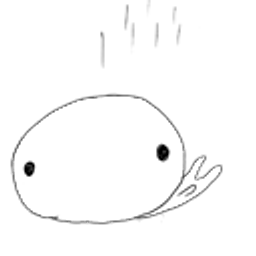













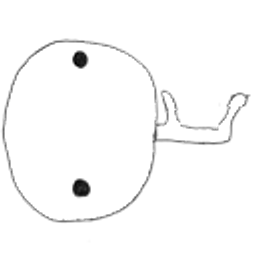













The little white figure behind Shimeji
The white mascot has a rounded head that fills most of the sprite, with dot eyes that stay readable as it turns. The pose set gives the feet a short shuffle and lets the head lean sideways during edge poses.
Classic artwork in a DesktopPets data pack
The DesktopPets download packages the white character images and supported motion data. Use the page preview to recognize the mascot and check the available actions before downloading.
Source and credit information is included in the ZIP.
Supported browser actions
Watch the automatic preview, or choose an action to see how this character moves in the sample window. The installed extension lists its available actions.
The browser supports the actions listed above. The resource pack also retains the complete converted configuration; native system-window behaviors are not available in a browser.
Resource pack verification
- Unique visible images
- 45
- Animation poses
- 132
- Animation sequences
- 38
ZIP size · 622,037 B
SHA-256
5a96eb0f9458b5ca6a95c7e2345c9f4211298026980d818cbae8bda159add5daCompatibility and installation
In your browser
Tested in Chrome and Microsoft Edge on Windows. Other Chromium browsers may work, but have not been verified. Browser companions stay inside webpages, not on the Windows or Mac desktop.
Browser settings, extension stores and other protected pages do not allow companions. Reloading or closing a page clears the companions on that page.
Using a resource pack
A character ZIP contains artwork and animation data. It is not an installer and cannot run by itself. For browser use, install the extension and choose a character inside it.
Each pack includes a manifest, preview image, PNG images, animation clips and configuration. Importing these files into other software depends on that software’s supported format.