Desktop Pets browser extension
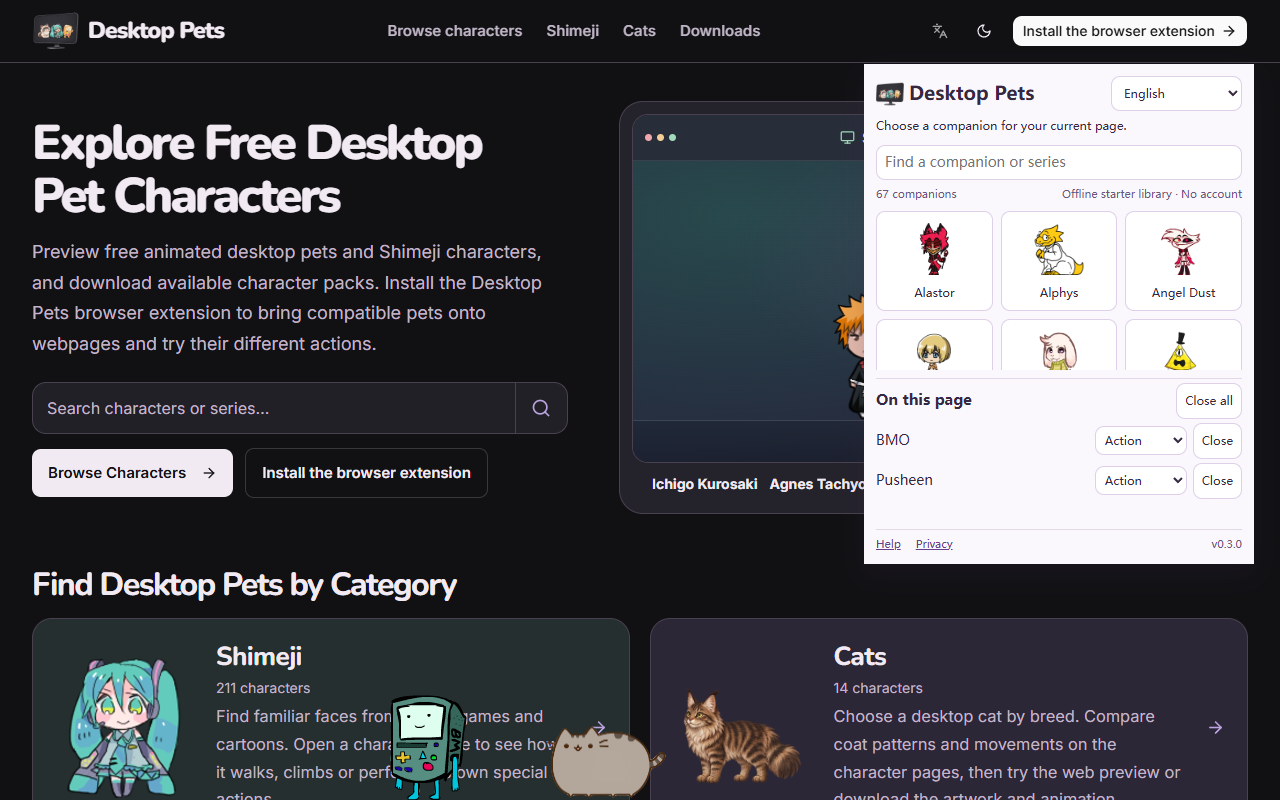
Choose a companion for an ordinary webpage. Add more than one, drag them around, change their actions and close them whenever you like.
Install the browser extension
Desktop Pets is published in the Chrome Web Store and Microsoft Edge Add-ons. Choose the store for your desktop browser.
Developer testing and manual ZIP installation
Download extension testing package 0.3.0 (.zip)
- Download and extract the extension ZIP to a folder you will keep.
- Open chrome://extensions (or edge://extensions), enable Developer mode and choose Load unpacked.
- Select the extracted folder containing manifest.json. Then open an ordinary webpage and click the extension icon.
The extension in action
How to use your companion
- Open an ordinary webpage, then click the extension icon.
- Search for a character and click it to add it to the current page.
- Use the action menu to switch animations; use Close or Close all to remove companions.
Browser settings, extension stores and other protected pages do not allow companions. Reloading or closing a page clears the companions on that page.
Tested in Chrome and Microsoft Edge on Windows. Other Chromium browsers may work, but have not been verified. Browser companions stay inside webpages, not on the Windows or Mac desktop.
The extension includes an offline starter library. Online catalog updates request character media only from DesktopPets.app. Cached characters remain usable offline; new characters need a connection on first use.
Privacy
No account is required. Character selection and cache are stored locally. The extension does not send page content, browsing history or typed text to our server. Catalog and media requests use the website’s normal network connection.
Privacy · Help